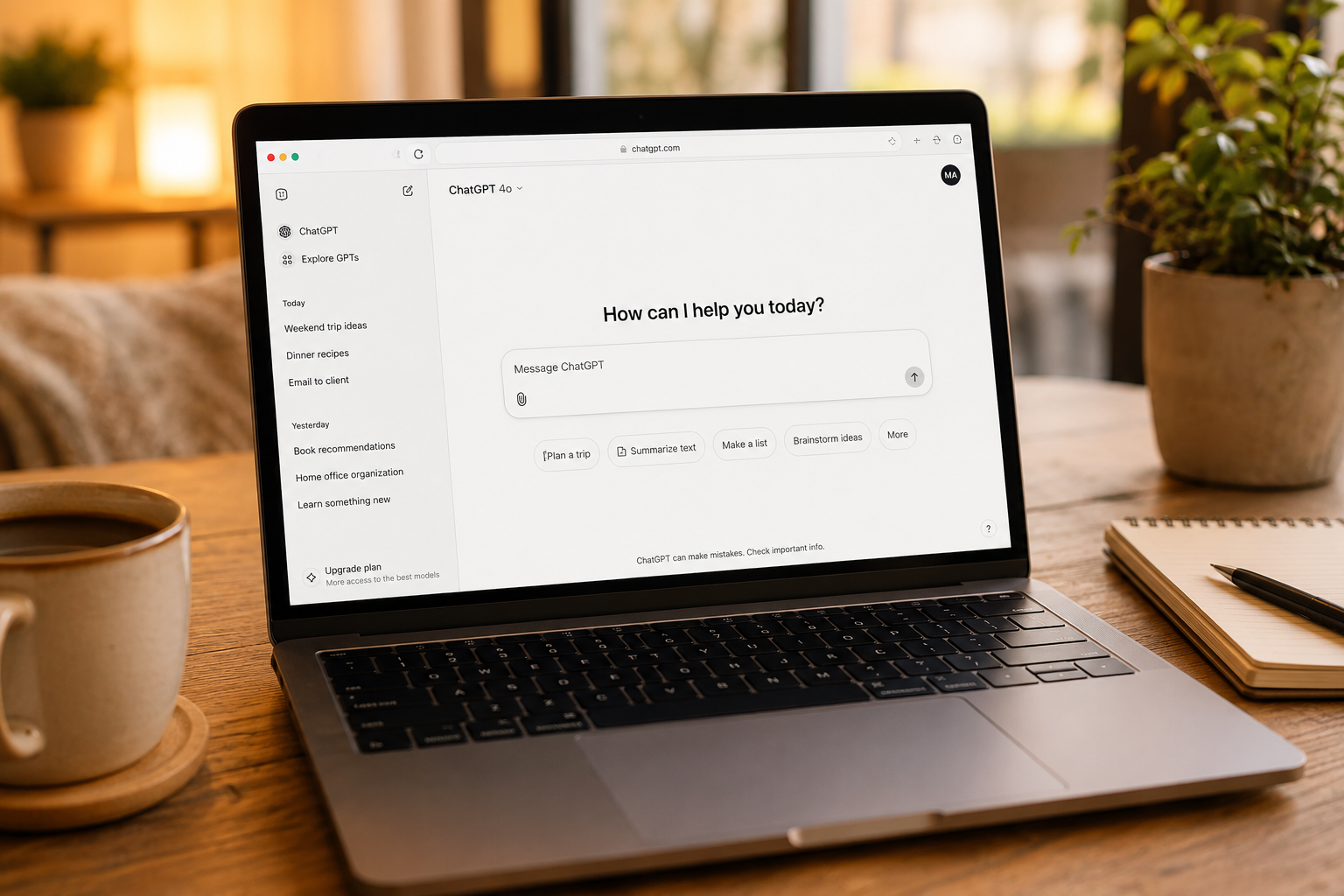
Have you been curious about ChatGPT but weren’t quite sure how to sign up?
You’re not alone.
Every day, thousands of people hear about ChatGPT from a friend, see it mentioned on the news, or watch someone using it online. They decide they’d like to try it for themselves… and then immediately wonder:
“Where do I even begin?”
The good news is that creating a ChatGPT account is much easier than most people expect.
You don’t need to be “good with computers.” You don’t need to understand artificial intelligence. And you certainly don’t need to pay to see what ChatGPT can do.
In fact, you can create a free account in just a few minutes.
In this article, I’ll walk you through the entire process step by step. Along the way, I’ll explain what you’re seeing, answer common questions, and help you feel comfortable before you ever type your first prompt.
Let’s get started.
Before You Begin
You’ll only need three things:
- An email address (or an existing Google, Apple, or Microsoft account)
- A computer, tablet, or smartphone with internet access
- About five minutes
That’s it.
If you’ve ever signed up for an online shopping account or a streaming service, you’ll find this process very familiar.
💡 Michelle’s Tip: If you already have a Google, Apple, or Microsoft account, signing in with one of those options is often the quickest and easiest choice. You won’t need to create another password to remember.
Step 1: Go to ChatGPT
Open your web browser and visit: https://chatgpt.com
If you’re using a phone or tablet, you can also download the official ChatGPT app from the Apple App Store or Google Play Store. For most beginners, though, I recommend starting on the website. It’s easy to follow along and you’ll become familiar with the interface.
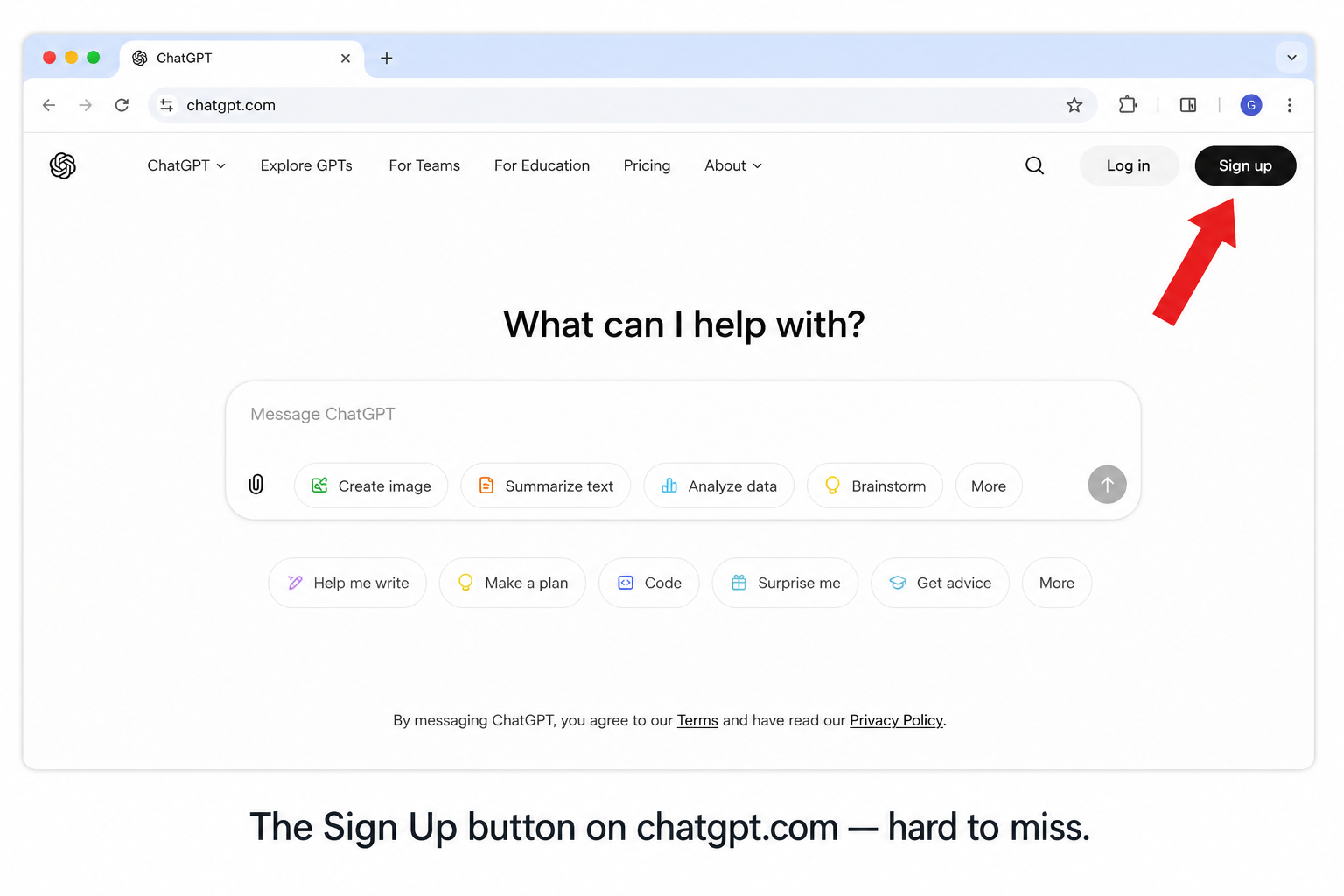
Note: OpenAI occasionally updates the appearance of the website. If your screen looks a little different from any screenshots you see, don’t worry. The overall process remains very similar.
Step 2: Sign Up for Your ChatGPT Account
On the ChatGPT home page, select Sign Up if you don’t already have an account.
You’ll have several options:
- Continue with Google
- Continue with Apple
- Continue with Microsoft
- Continue with Email
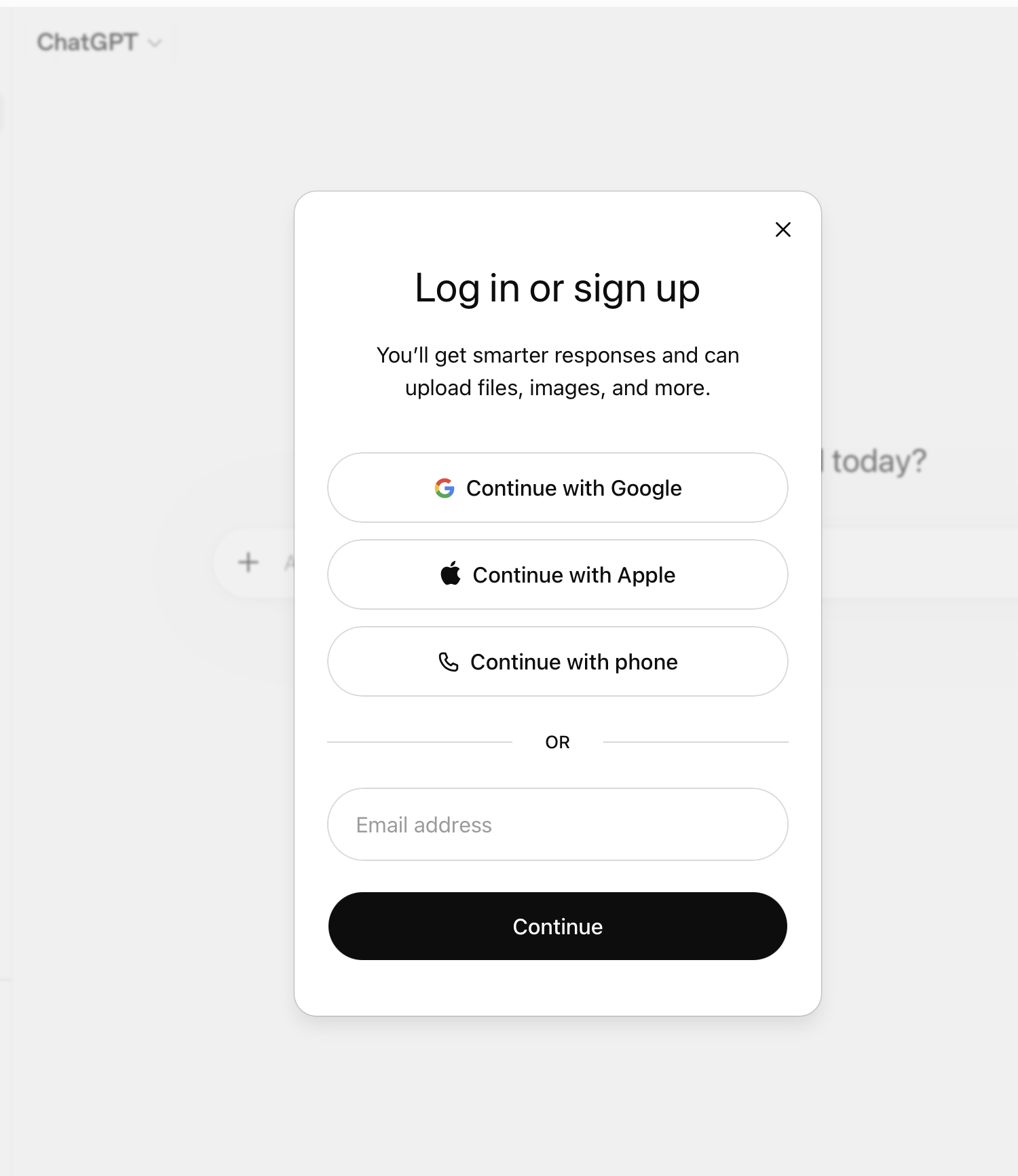
If you choose to sign up with your email address, you’ll create a password and verify your email before continuing.
Whichever method you choose, the process usually takes just a minute or two.
Step 3: Verify Your Email (If Needed)
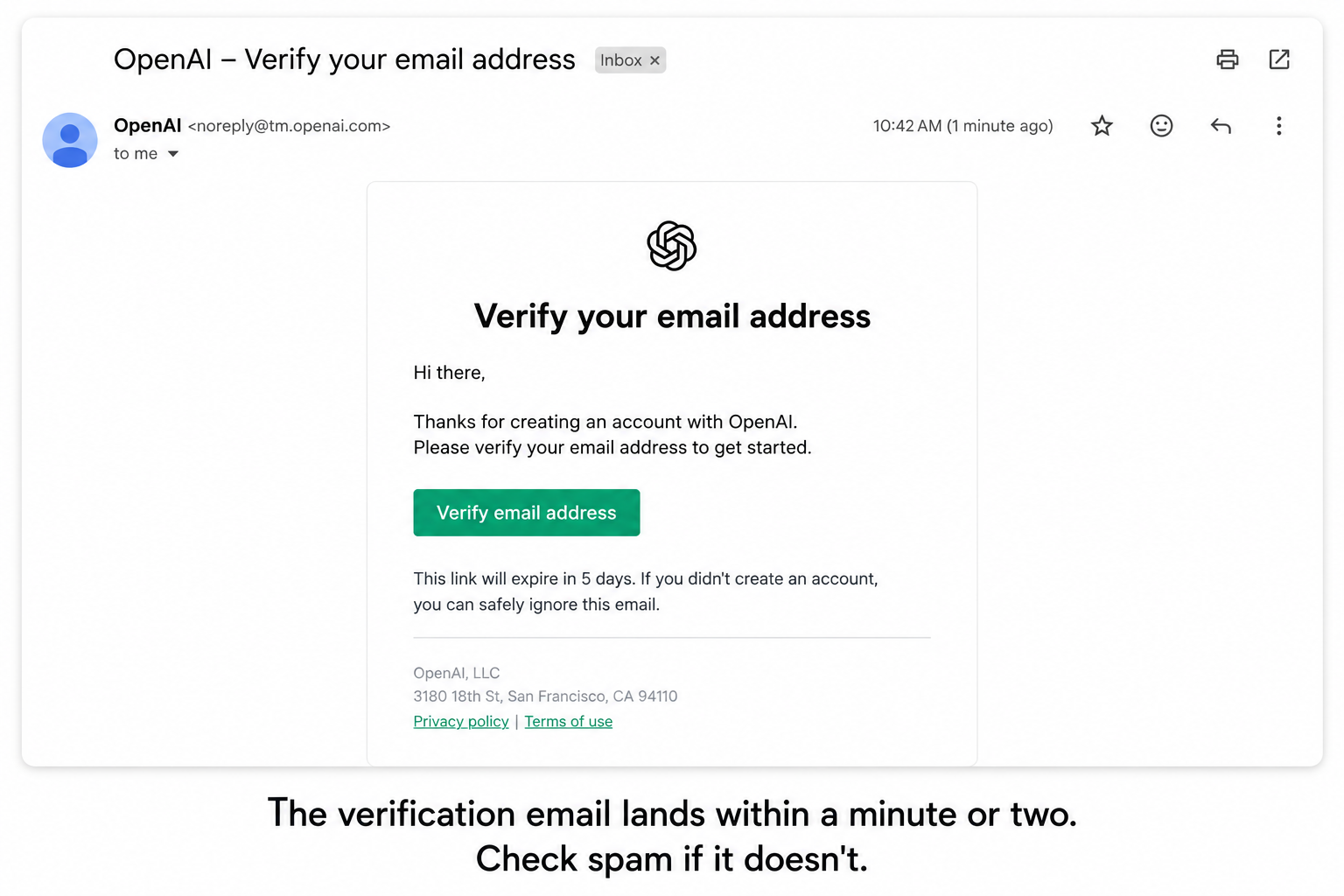
If you signed up using your email address instead of Google, Apple, or Microsoft, OpenAI will send you a verification email. Simply open the email and click the verification link.
If you don’t see it after a few minutes:
- Check your Spam or Junk folder
- Double-check that you entered your email address correctly
- Wait a minute or two and refresh your inbox
Once your email has been verified, return to ChatGPT.
Step 4: Meet Your New Workspace
Congratulations! You’ve created your account.
Now you’ll see something that surprises many new users…
It looks… almost empty.
That’s actually a good thing.
Unlike many websites that overwhelm you with menus and buttons, ChatGPT is designed to help you focus on one thing: having a conversation.
You’ll usually notice:
- A text box where you can type your question
- A menu on the left for previous conversations
- Your account information
- Options for settings
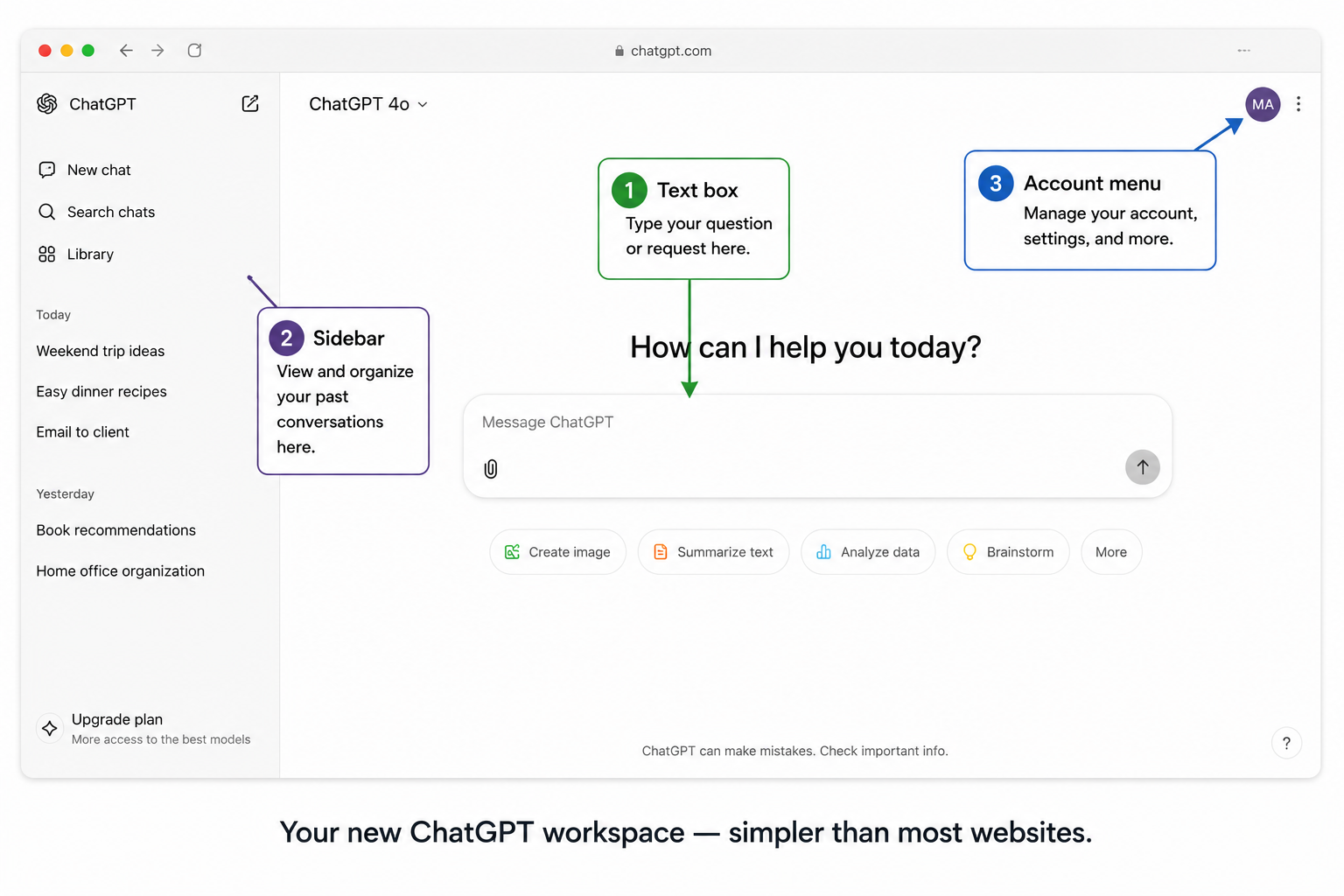
That’s really all you need to begin.
💡 Michelle’s Tip: Don’t worry if you don’t recognize every button yet. You don’t need to understand the entire interface before using ChatGPT. Many people successfully use ChatGPT for months before they ever explore some of the advanced features.
Do I Need ChatGPT Plus?
One of the first questions new users ask is whether they need a paid subscription.
For most beginners, the answer is no.
The free version gives you plenty of opportunity to learn how ChatGPT works, ask questions, write emails, brainstorm ideas, summarize information, and explore many everyday uses.
As you become more comfortable with ChatGPT, you may decide that additional features included with ChatGPT Plus are worth the monthly subscription. But there’s no pressure to upgrade immediately.
My advice? Start with the free version. Learn what ChatGPT can do. If you eventually find yourself using it every day, then you can decide whether the additional features are valuable for your needs.
(You can also read my full breakdown on what ChatGPT actually costs — free vs. Plus vs. beyond.)
Is It Safe to Create a ChatGPT Account?
This is another excellent question.
For most people, creating a ChatGPT account is no different than creating an account for many other online services.
That said, it’s always a good idea to practice good online habits. Choose a strong password if you’re creating a new account, and avoid sharing sensitive personal information in your conversations unless you understand how that information may be used.
If you’d like to learn more about privacy and security, be sure to read my article: Is ChatGPT Safe? What Every Beginner Needs to Know.
What Should You Ask First?
Now comes the fun part.
Many people create an account… and then freeze.
The blank chat box can feel a little intimidating.
If you’re not sure what to type first, here are a few simple ideas:
- Explain artificial intelligence in plain English.
- Help me plan five easy dinners for this week.
- Give me three ideas for organizing my home office.
- Teach me something interesting about dolphins.
- Recommend five books if I enjoy historical fiction.
Notice something? None of those questions are complicated.
You don’t need to learn special commands before you begin. Just start a conversation.
Your First Conversation with ChatGPT
Once you’ve created your account, don’t worry about asking the “perfect” question. That’s one of the biggest myths about ChatGPT.
Think of it this way: if you were meeting a knowledgeable friend for coffee, you wouldn’t spend twenty minutes trying to think of the perfect first sentence. You’d simply start talking.
ChatGPT works much the same way.
Your first question can be simple. For example:
“I’m planning a weekend getaway. Can you suggest a few relaxing destinations within a three-hour drive of my city?”
Or:
“Can you explain how electric cars work in simple language?”
Or even:
“I’d like to eat healthier this week. Can you suggest five easy dinners that don’t take more than 30 minutes to prepare?”
The goal isn’t to impress ChatGPT. The goal is to begin a conversation.
One of the best things about ChatGPT is that you can always ask follow-up questions. If the first answer isn’t exactly what you wanted, simply tell it what you’d like to change:
- “Can you make that explanation simpler?”
- “Can you give me more examples?”
- “I’d like ideas that are less expensive.”
- “Can you put that into a table?”
That’s where ChatGPT really shines.
💡 Michelle’s Tip: Don’t judge ChatGPT by your first prompt. Many of the best conversations happen after you’ve asked one or two follow-up questions. Think of the first answer as a starting point — not the finish line.
Common Sign-Up Problems (and Easy Fixes)
Most people complete the sign-up process without any trouble. But if something doesn’t work as expected, here are a few common issues.
I Didn’t Receive the Verification Email
First, check your Spam or Junk folder. If it’s not there:
- Wait a few minutes and refresh your inbox
- Make sure you entered your email address correctly
- Request another verification email if the option is available
I Forgot My Password
No problem. On the sign-in page, choose Forgot Password and follow the instructions to reset it.
My Screen Doesn’t Match the Screenshots
That’s perfectly normal. OpenAI updates ChatGPT regularly, so buttons may move or the design may change slightly. Don’t worry if your screen isn’t an exact match. The overall sign-up process stays very similar.
I Accidentally Signed Up with the Wrong Account
If you have more than one email address or Google account, it’s easy to choose the wrong one by mistake. Before creating another account, sign out and sign back in using the account you’d like to use.
⚠️ Common Mistake: Many new users believe they have to learn everything about ChatGPT before they can start using it. You don’t. In fact, the best way to learn ChatGPT is by using it. Start with simple questions. Experiment. Ask follow-up questions. You’ll become more comfortable surprisingly quickly.
What to Explore Next
Now that you have an account, here are a few beginner-friendly articles to help you continue learning.
New to ChatGPT? Start here:
Ready to get better results?
That article will help you understand why some conversations produce much better answers than others.
Curious about privacy?
Each article builds on what you’ve already learned.
Frequently Asked Questions
Is ChatGPT really free?
Yes. OpenAI offers a free version that lets you use many of ChatGPT’s most popular features. There is also a paid subscription called ChatGPT Plus that includes additional capabilities, but you do not need it to begin learning.
Can I use ChatGPT on my phone?
Absolutely. You can use ChatGPT through your mobile browser or download the official ChatGPT app from the Apple App Store or Google Play Store. Your conversations can sync across your devices when you’re signed into the same account.
Do I need to download any software?
No. If you’re using the website, everything runs directly in your web browser.
Can I switch to ChatGPT Plus later?
Yes. Many people begin with the free version and upgrade only after they’ve decided ChatGPT has become a regular part of their daily life.
Is my information private?
Like many online services, ChatGPT has privacy settings and policies that explain how conversations may be used. It’s always wise to avoid sharing highly sensitive personal or financial information in any AI conversation. For a more detailed discussion, see my article on ChatGPT safety and privacy.
What if I don’t know what to ask?
That’s one of the most common concerns — and one of the easiest to solve. Start with something you’re already interested in. Ask ChatGPT to explain a topic you’ve always wondered about, help plan your meals for the week, recommend books or movies, organize your schedule, draft an email, or brainstorm ideas for a hobby or project. The more you use ChatGPT, the more naturally new ideas will come to you.
✅ Try This: Now that your account is ready, open ChatGPT and copy one of these prompts:
- “Teach me something fascinating in less than five minutes.”
- “Help me organize my week using a simple checklist.”
- “Recommend three books based on my favorite genre.”
- “Explain a topic I’ve always found confusing using everyday language.”
Don’t worry about getting the wording exactly right. Just start the conversation.
Final Thoughts
Signing up for ChatGPT is the easy part. The exciting part is discovering what you can do with it.
Whether you’re looking to save time, learn something new, organize your ideas, or simply satisfy your curiosity, ChatGPT can become a remarkably helpful tool once you get comfortable using it.
And remember — you don’t have to learn everything at once.
The people who get the most out of ChatGPT aren’t the ones who know the most technical terms. They’re the ones who stay curious, ask thoughtful questions, and aren’t afraid to keep the conversation going.
That’s a skill anyone can learn. Including you.
Continue Learning with WhatIsChatGPT.org
If you enjoyed this article, consider joining the free WhatIsChatGPT.org email community. You’ll receive practical tutorials, new reference articles, simple tips, and real-world examples designed to help you become more confident using ChatGPT — one conversation at a time.
Grab the free Quick-Start Guide →
Next in this Section
- How to Use ChatGPT — your account is ready, now let’s have your first real conversation.
- ChatGPT Tips for Seniors — ten small tips that make everything easier at the start.
- Is ChatGPT Safe? — the honest safety guide to read early.